
The console
Publish content
Live is what guests see. You edit a copy, then publish it. Guests change when you press Replace live.
New
Copies Live into a draft.
Edit
The tabs, with a preview beside them.
Save draft
Guests still see Live.
Publish
Replace live. The old one becomes Archive.
-
Start from Live
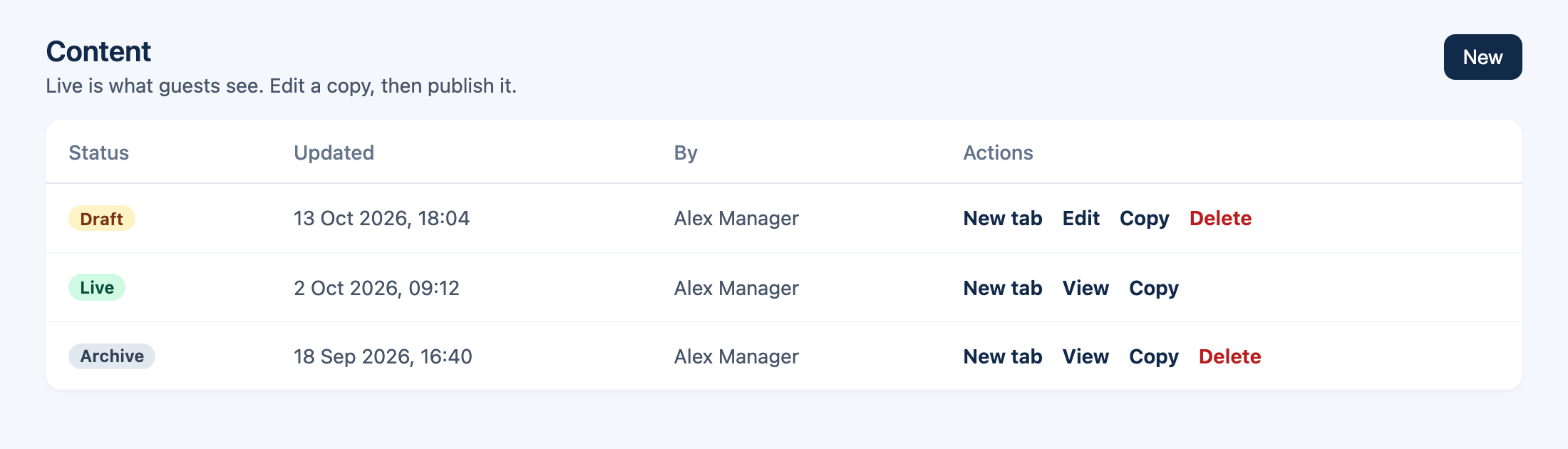
Content says “Live is what guests see. Edit a copy, then publish it.” New copies Live into a draft. Copy on any row does the same from that version. A draft opens as Edit. Live and Archive open as View, and Live tells you to copy it before editing.
-
Edit the draft
The tabs are Look, Home, Explore, Spa, What's on, Requests, and Contact. On a wide screen the guest page sits beside the form and updates as you type. On a phone, Open preview.
LookHomeExploreSpaWhat's onRequestsContact -
Save draft
The line under the buttons reads Unsaved until you save, then Saved draft. An optional note, such as “Summer hours”, shows on the versions list. Guests still see Live.
-
Replace live
Publish asks “Replace what guests see?”. The note is optional and holds 80 characters. Unsaved edits are saved first. Press Replace live. The version that was live is kept as Archive.
Replace what guests see?
Guests will see this version. The version that is live now is kept as Archive.
Note optional — What changedThe confirm. Guests change at Replace live.
What each tab changes
- Look
- Name, brand, logo, hero, and colours.
- Home
- The cards guests see first.
- Explore
- Places, the Explore heading, and the map pin. The address on My Stay is edited here.
- Spa
- Leave it empty if the hotel has no spa. Guests will not see a spa page.
- What's on
- The programme.
- Requests
- Common asks, rooms, and who gets the email. These reach guests after you publish.
- Contact
- Phone, WhatsApp, email, check-in and check-out, and Wi-Fi. Guests see this on My Stay.